Know your margin before the boxes show up.
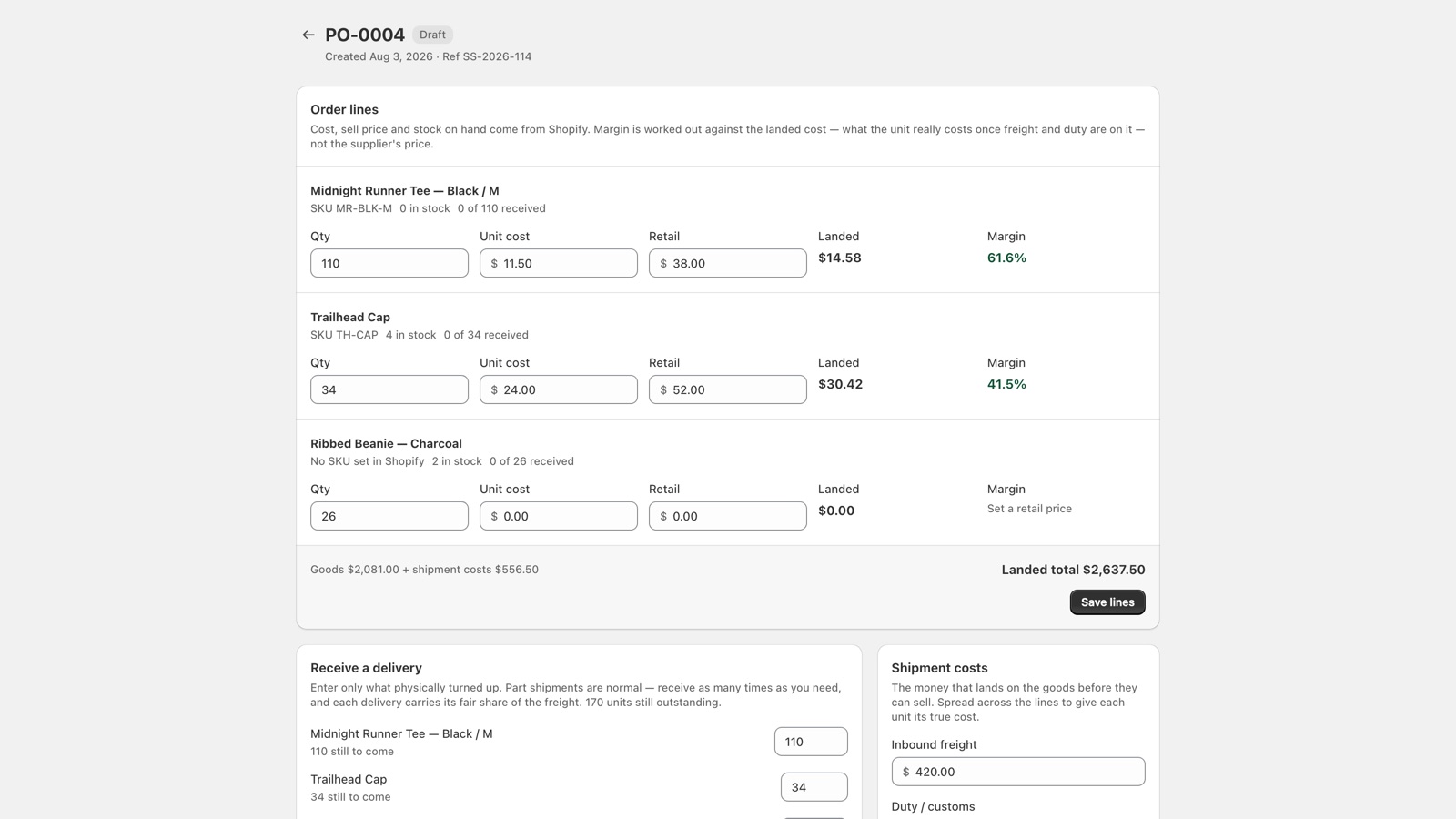
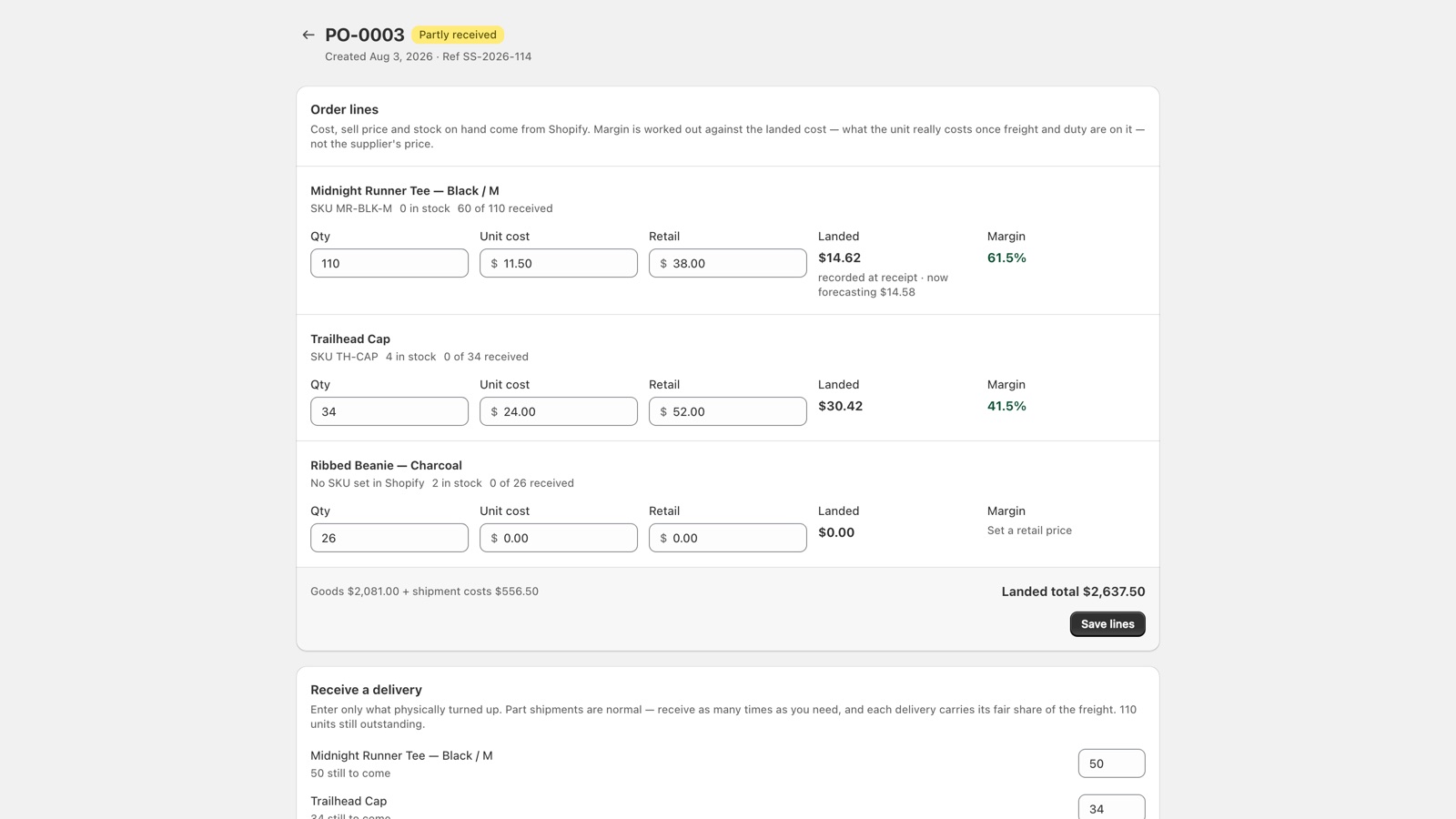
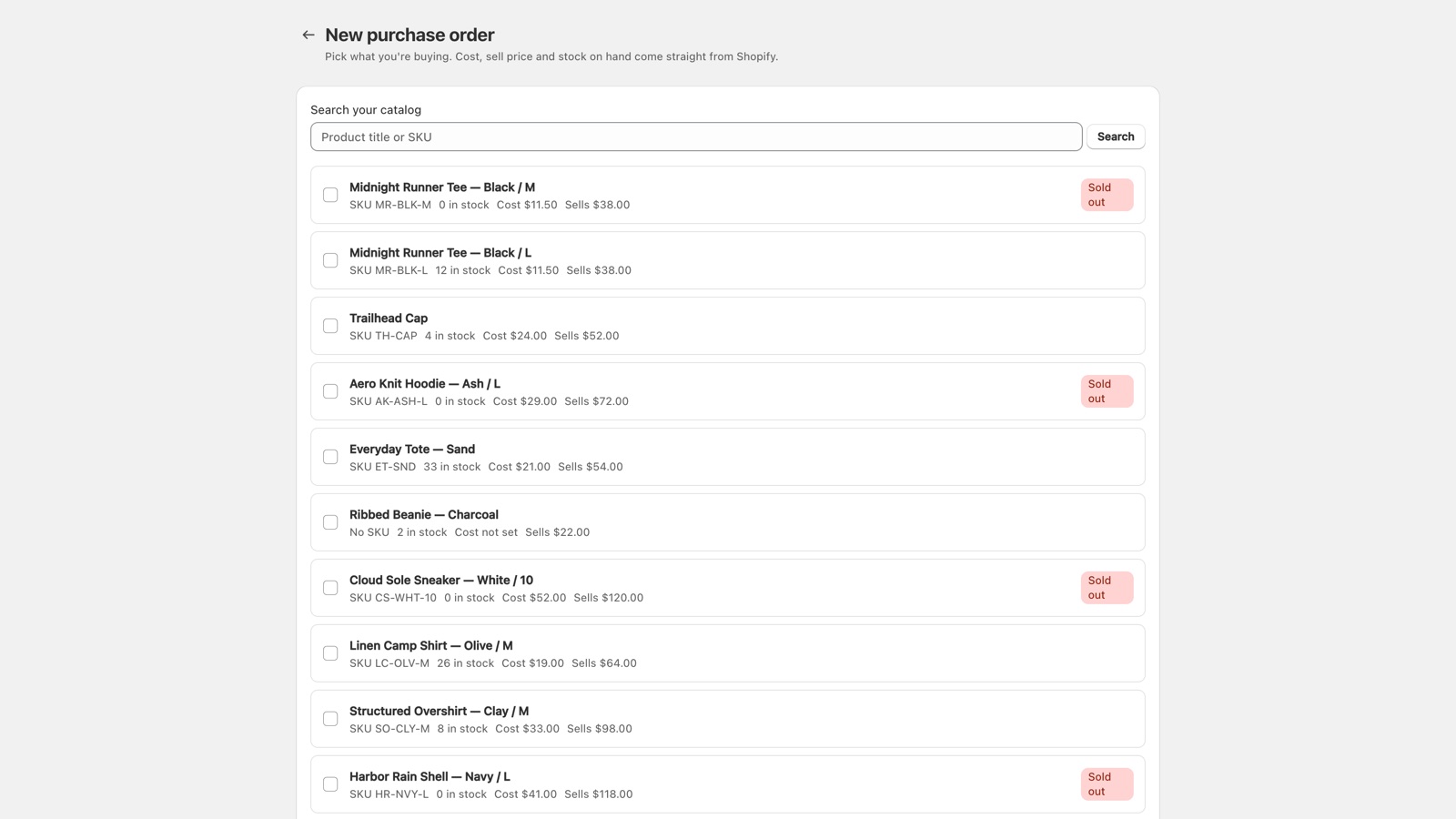
RestockRadar builds purchase orders from any product in your store, spreads freight and duty across the lines so every unit shows its true landed cost, and writes the blended cost back onto your products as deliveries arrive.
No card required. Paid plans billed through your Shopify invoice.
Built from merchants' own words
When Shopify announced Stocky's retirement, store owners wrote down exactly what a purchase order needs. We built that list.
"We need the ability to record the actual landed cost per unit at the time of receiving."— merchant on the Shopify community forums
✓ Freight + duty allocated per unit, recorded at every delivery.
"Native purchase orders don't auto-populate line item costs from the variant's cost per item field."— merchant on the Shopify community forums
✓ Cost, retail and stock on hand fill themselves in.
"Handle shipments arriving in multiple deliveries — not all-or-nothing receiving."— merchant on the Shopify community forums
✓ Receive in as many deliveries as it takes, each logged.
The whole reorder loop, on one document
Like a good packing slip: everything on it, nothing that shouldn't be.
Priced like an app, not a platform
One plan, one price, everything included. A third of what inventory platforms charge — and it starts free.
Free
$0/month
- Capture back-in-stock signups
- Demand board, read-only
- Up to 50 restock alerts a month
Pro — everything
$16/month · 14-day free trial
- Purchase orders with landed cost & margin
- Partial receiving + automatic cost writeback
- Email POs to suppliers, print to PDF
- Unlimited restock alerts + full demand board
Billed through Shopify, on your Shopify invoice. 14-day free trial on paid plans.
Fair questions
Is this a full Stocky replacement?
For purchase orders and receiving — yes, and it goes further than Stocky on landed cost. We deliberately don't do stocktakes, barcode scanning or inventory transfers. The migration page maps every workflow honestly, including the ones we don't cover.
Does it change my inventory numbers?
Only when you receive a delivery, and only by the amount you received — the same adjustment you'd make by hand, with a log entry tying it to the PO and packing slip.
What touches my product costs?
On receiving, the app writes the weighted average of your existing stock's cost and the new delivery's landed cost onto the product's cost per item. That's the number your reports already use — it just stops being stale.
What if something doesn't work on my store?
Email support and the developer answers. If something's not showing up right on your store, we will find a way to get it working correctly.
The paperwork should do itself.
Install free, build your first purchase order in two minutes, and watch the landed cost land.
Install RestockRadar